• TinaCMS + Fumadocs: Bring Visual Editing t…    
 • Vibe Coding TinaCMS Custom Components | Th…  

📞 Contact us: https://bit.ly/4fAFrVx

Choosing the right headless CMS can make a huge difference to how you build, manage, and scale your website. But how do TinaCMS and Contentful compare? In this video, SSW Software Engineer Hark Singh breaks down TinaCMS vs Contentful, comparing 5 key areas: content storage, editing experience, AI integration, pricing, and version history. After more than 20 years of implementing different CMS solutions for clients, SSW has found TinaCMS and Contentful to be two popular choices. In fact, SSW liked TinaCMS so much that it acquired the company! Hark explores what makes these two headless CMS platforms different, from Contentful’s cloud-hosted content and API-driven approach to TinaCMS’s Git-backed Markdown files and built-in visual editor. You’ll discover how both platforms handle live previews, editorial workflows, and AI-powered development.

Hark also demonstrates how AI agents can work directly with TinaCMS content and schemas, and compares the pricing of both platforms, including TinaCMS’s open-source option and Tina Cloud plans. Finally, see how version control works in both systems, including a real-world example from SSW Rules, a website powered by TinaCMS with more than 3,000 rules. Whether you’re a developer choosing a CMS for your next project or a content editor looking for a simpler workflow, this comparison will help you understand the trade-offs. In this video, you’ll learn: How TinaCMS and Contentful store and manage content The differences between visual editing and live preview How AI agents integrate with both CMS platforms How free and paid pricing plans compare How Git-based version control differs from Contentful’s version history Which headless CMS do you prefer? Let us know your experience with TinaCMS, Contentful, or other CMS platforms in the comments!

00:00 | Introduction: TinaCMS vs Contentful
00:38 | What Makes a Headless CMS?
01:07 | Content Storage: Cloud vs GitHub
01:40 | Visual Editing and Content Previews
03:25 | Editorial Workflows and AI Integration
04:27 | Demo: Creating a Tina Cloud Project with AI
05:03 | Pricing: Contentful vs TinaCMS
07:10 | Tina Cloud Plans and Pricing
07:43 | Version History and Git-Based Tracking
08:52 | Final Thoughts

🌐 About SSW: https://linktr.ee/SSWTV

🔗  Links:

LinkedIn: https://linkedin.com/company/ssw

Twitter: https://twitter.com/ssw_tv

Facebook: https://facebook.com/SSW.page

Instagram: https://instagram.com/ssw_tv

Tiktok: https://www.tiktok.com/@ssw_tv

👋 Get in touch:

Hark Singh – SSW Software Engineer I 

About: https://www.ssw.com.au/people/hark-singh

LinkedIn: https://www.linkedin.com/in/talesofhark

#TinaCMS #Contentful #HeadlessCMS #CMS #WebDevelopment #AI #GitHub #DeveloperTools #ContentManagement #SSWTV

V9 – Bahjat

About the speakers

About the speakers

Hark Singh

Hark is a passionate Full-Stack Developer, who builds clean, reliable software with a focus on user experience and delivery discipline.

He joined SSW Newcastle through FireBootCamp, SSW’s intensive, real-world training program for elite graduates – where he worked in a high-pressure, consultancy-style environment, building production-grade solutions using Angular, .NET, Clean Architecture, and Azure DevOps. After impressing the mentors and senior architects, he was invited to join SSW full-time.

Related videos
Related videos

Just Say Yes or No! 3 Tips for Better Communication | Adam Cogan | SSW Rules

When someone asks you a simple question, do you give a straight answer or jump into explanations?
In this video, SSW’s Adam Cogan shares 3 practical tips for communicating clearly and handling feedback professionally.
Discover why starting with a direct “Yes” or “No” avoids confusion, how acknowledging mistakes builds trust, and why becoming defensive or sarcastic only makes difficult conversations worse.

Whether you’re working with clients, colleagues, or your team, these small changes can help you communicate with confidence, take ownership, and keep conversations productive.

Want to be a better consultant? Master the art of managing up | Adam Cogan | SSW Rules

Want to become a better consultant and accelerate your career? Stop bringing problems to your manager and start bringing solutions!

Join SSW’s Adam Cogan in the beautiful city of Strasbourg, France, as he shares practical tips on managing up, a skill that helps you become more proactive, build trust with your manager, and make better decisions.

Adam explains why presenting options with a clear recommendation is far more effective than simply asking your manager what to do. Using real-world consulting examples, he demonstrates how to evaluate resource decisions, communicate your preferred solution, and help managers make faster decisions.

You’ll also discover how to manage up when you’re CC’d on an important email. Instead of waiting for your manager to ask for advice, learn how to proactively draft a suggested response, share your expertise, and save valuable time.

Whether you’re a developer, consultant, architect, or team leader, these simple habits can help you take ownership, demonstrate initiative, and grow professionally.

Takeaway: Don’t just identify the problem. Present the options, recommend the best one, and explain why.

Tick and Flick! 3 tips for better Sprint Reviews | Adam Cogan | SSW Rules

Want better Sprint Reviews? Adam Cogan shares 3 practical tips to keep your reviews short, engaging, and valuable. Learn how to use the “tick and flick” approach, involve stakeholders, and turn feedback into action.

Vibe Coding is fast, but is it Enterprise Ready? | Adam Cogan | SSW Rules

Vibe coding is transforming software development, allowing developers to build features in minutes instead of days. But does faster coding mean better software?

In this SSW TV episode, Adam Cogan explores the excitement and hidden challenges of AI-powered development. Using a Formula 1 analogy, he explains why speed alone isn’t enough when navigating the complexities of architecture, security, testing, and maintainability.

Discover how enterprise vibe coding, or AI-assisted engineering, combines the speed of AI with the right architecture, context, and guardrails to build reliable, maintainable software.

🚀 Enjoy the speed, but don’t forget the corners!

Microsoft Teams Etiquette: Simple Habits That Make Meetings Better | Adam Cogan

Whether you’re working remotely or in the office, small habits can make a huge difference in Microsoft Teams meetings.

Treat Your Code Like Uranium | Adam Cogan

Adam Cogan shares a striking story comparing two World War II factories—one ordinary, one handling uranium—and the surprising lesson that the uranium workers lived longer because they followed disciplined, risk-aware practices. He connects that idea to software teams: the best outcomes come from careful habits like automated tests, telemetry, pull requests, retrospectives, shared rules, and good tools. The message is simple: treat software delivery with the same respect as dangerous work, and you’ll reduce stress, avoid chaos, and get better results.

3 Tips for Better Video Recordings | Adam Cogan

Great coaching can dramatically improve how you present, communicate, and learn. In this video, Adam Cogan shares 3 practical coaching tips that SSW uses every day—from onboarding and role plays to improving video delivery. He explains why having a coach matters, why immediate interruption beats delayed feedback, and how repeating corrections helps lock in better habits.

TinaCMS + Fumadocs: Bring Visual Editing to Your Docs | Hark Singh

Discover how to connect Playwright with AI agents and unlock powerful workflows.

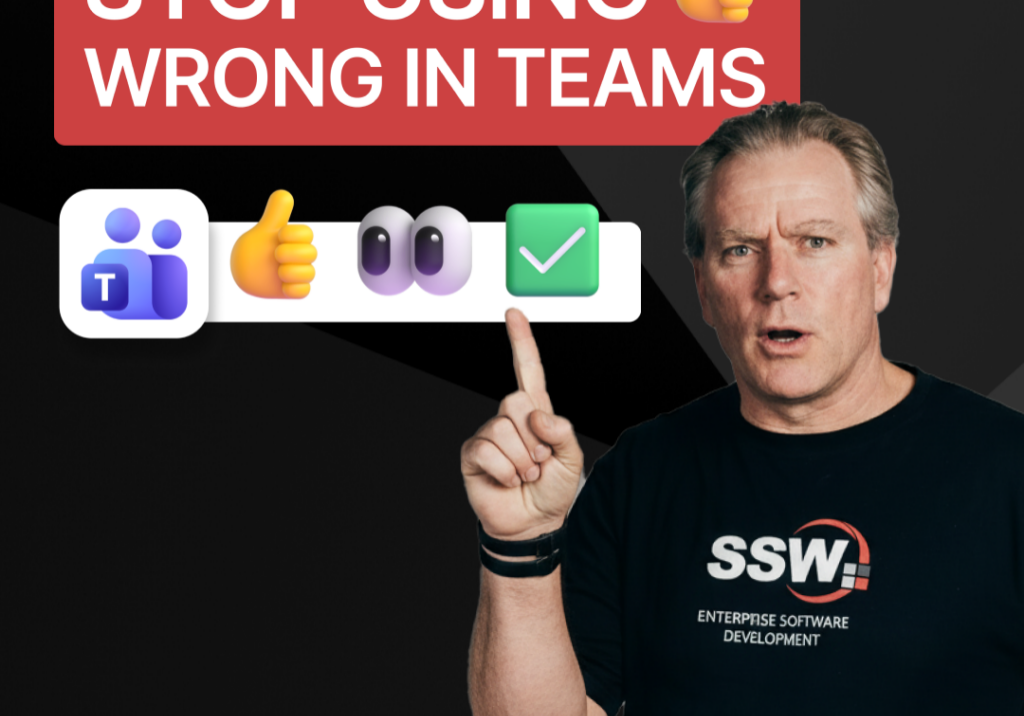
Stop Using 👍 Wrong in Teams | Adam Cogan

A quick communication tip from Adam Cogan: don’t use 👍 as a catch-all response when someone assigns you a task in Teams, Slack, or Google Chat. In the example Adam gives, if a task will take about five minutes, a thumbs up is too ambiguous because it does not clearly say whether you’ve read it, agree with it, are doing it now, or will do it later. Instead, use 👍 for agreement, 👀 to show you’ve seen the task and are actively working on it, and then replace 👀 with ✅ once the task is done. It is a small change, but it removes ambiguity and cuts down unnecessary follow-up messages.

How to record a done video in SSW | Sylvia Huang | SSW Rules

Sylvia Huang from SSW shares her SSW Cultural Exchange experience from Hangzhou, China to Australia