Contact us: https://bit.ly/4fAFrVx

Jack walks through a practical pattern for letting anyone query a live database in plain English—without needing SQL skills or being locked into a single ecosystem. He compares Microsoft Copilot Analyst to a custom-built approach, then breaks down an end-to-end pipeline: retrieve the right context (schema + business definitions + examples), generate SQL deterministically, validate/secure execution with proper DB permissions, and return results as tables or charts (including adaptive cards for chat apps like Teams). He also covers “auto-learning” via storing successful Q&A pairs back into a vector DB, plus key risks like hallucinations, governance, over-permissioning, and how to mitigate them with explainability, telemetry, and safeguards.

00:00 | Introduction: Copilot Analyst & why AI analytics keeps changing fast
05:05 | The goal: query a live database in plain English (not just spreadsheets)
08:18 | The 3-part grounding recipe: schema + domain definitions + example Q&As
11:44 | Prompting for deterministic SQL (and why context engineering matters)
13:12 | Extracting + validating SQL (structured outputs vs parsing)
15:08 | “Auto-learning” the system: saving successful queries + updated definitions
18:05 | Governance: telemetry, curation, and improving quality over time
20:03 | Security reality check: prompts won’t protect your DB—permissions will
25:17 | Making it useful: scalars, tables, charts + adaptive cards in chat
48:23 | Audience Q&A: complexity, explainability, recovery, and role-based access

About SSW: https://linktr.ee/SSWTV

Links:
LinkedIn:   / ssw  
Twitter:   / ssw_tv  
Facebook:   / ssw.page  
Instagram:   / ssw_tv  
Tiktok:   / ssw_tv  

Get in touch: Jack Watts – AI Strategy & Implementation Leader
LinkedIn:   / jackawatts  

#ai#dataanalytics#sql#naturallanguageprocessing#rag#vectordatabase#copilot#microsoftteams#datagovernance#cybersecurity#promptengineering#azure#plotly#adaptivecards#businessintelligence

V1 – Bahjat

About the speakers

About the speakers

Jack Watts

I'm a seasoned technology consultant with over 20 years of experience spanning software development, AI & machine learning, operations research, and automation across Australia and international markets.

Currently, I lead AI initiatives at an R&D studio, where I focus on both the technical implementation and strategic direction of AI projects. My role encompasses supporting AI engagements from concept through delivery, while maintaining awareness of the broader social and economic implications of these technologies.

Related videos
Related videos

Do you explain why you’ve deleted or updated an appointment? | Adam Cogan | SSW Rules

Ever wonder why a meeting was moved or cancelled? Adam Cogan explains the “Secret Ingredient” to professional scheduling: always include a version history and reason for change at the top of your appointments. Improve clarity, keep a record of changes, and hold participants accountable with this simple SSW Rule.

Chat first before changing others’ code | Adam Cogan

Changing someone else’s code? Don’t just dive in! Adam explains why it’s important to check the source history and talk to the original developer before making changes. A quick chat can save headaches and keep everyone on the same page. Perfect advice for devs working in teams!

SSW TimePro – Create a new tenant | Jeoffrey Fischer

Learn how to provision a new tenant in TimePro and sync it with an external Dynamics 365 CRM system.

How to Report Bugs in Seconds | Brady Stroud

Tired of tedious bug reporting? Watch how Brady uses YakShaver.ai to turn a quick screen recording into a professional PBI instantly.

White space – Tips for recording demo | Adam Cogan

Awkward pauses can ruin an otherwise good presentation. In this video, Adam shares a simple tip to handle white space during demos and recordings. By telling your audience what’s about to happen, you avoid silence, cut out useless fillers, and sound more confident. Perfect for product demos, meetings, or presentations on any stage.

Don’t throw things over the fence until you’ve done what you can | Adam Cogan

“Throwing it over the fence” means passing your work or problem to others. This short video delivers one clear message: before you hand something off, do what you can yourself. It’s a simple reminder about responsibility, effort, and ownership in work, teamwork, and daily life.

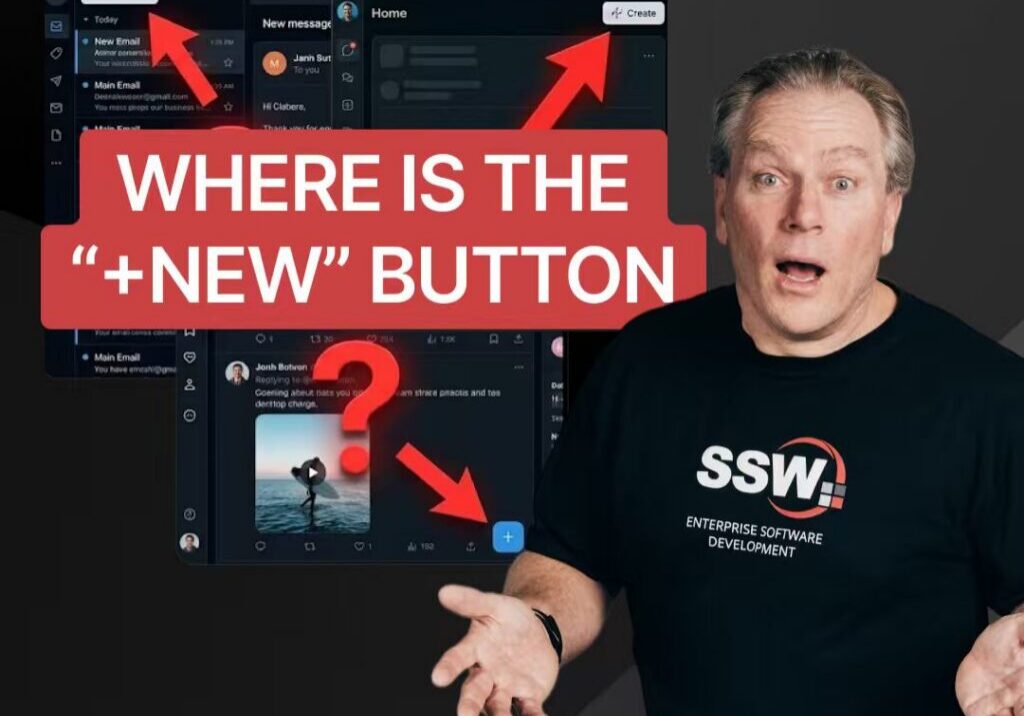
Why No One Can Agree on the “New” Button? | Adam Cogan

Struggling to juggle a hotfix while mid-feature without losing your flow?

SSW Strasbourg Office in Europe | Walkthrough with Jean

Hear from SSW Senior Software Engineer Jake Bayliss about the importance of providing context, showcasing your work and asking for questions & direction from Product Owners.

Liking Github issues when they are read | Adam Cogan

“Throwing it over the fence” means passing your work or problem to others. This short video delivers one clear message: before you hand something off, do what you can yourself. It’s a simple reminder about responsibility, effort, and ownership in work, teamwork, and daily life.

How to supercharge a company with AI | Ulysses Maclaren

Explore how AI is transforming businesses right now! In this video, Ulysses Maclaren from SSW walks us through the innovative ways AI is being used at Tina CMS. From automating customer interactions to analyzing vast amounts of data and even managing sales leads, AI is revolutionizing workflows