What makes a great presentation? More importantly, what are the elements that can destroy a great presentation, even if the content itself is technically sound?

In this session Samantha and Andrew Coates demonstrate seven sins that must not be committed in a presentation, why and how a presentation can suffer from committing them, and how to avoid accidentally committing them.

Ironically, when we practice we deliberately commit presentation sins. We stop, we fix, we repeat and refine. Like elite musicians, dedicated technical presenters typically spend many solitary hours doing this, which of course is necessary to master any content. But none of these practice processes has a place on the presentation stage. In presentation we must trust, believe, create, and keep going in the face of any adversity – a completely different process which in itself must be rehearsed.

In order to give a magnificent presentation, we must PRACTICE giving a magnificent presentation. The only way to do this is by regularly and deliberately creating pressure situations in which we can practice NOT committing the presentation sins.

Covering everything from wrong notes to blue screens of death, this dynamic and multi-talented pair not only break down the elements of successful and unsuccessful presentations, but also outline how one can give a truly engaging presentation every time, no matter how basic or complex the content.

About the speakers

About the speakers

Andrew Coates & Samantha Coates

Andrew Coates

Andrew Coates is a Senior Software Engineer for Microsoft in Australia where he’s worked for over 15 years. His passions include teaching kids to code, learning & using new technology and cricket (don’t ask him about it unless you want to talk about cricket for a LONG time).

Andrew often presents at international conferences on topics as varied as Geographical Information Systems, health statistics and Microsoft development technologies. He is also a regular at Microsoft conferences and events both locally and internationally.

Samantha Coates

Samantha Coates is an internationally regarded pianist and presenter. She is the author, creator and publisher of BlitzBooks, the music education series that has brought laughter and creativity to music theory, sight reading and piano repertoire. Samantha’s passion is helping others to perform well and minimise anxiety. In this session she will show how the performance skills and practice habits of musicians can be harnessed by developers to maximise their success in any stressful situation.

Samantha holds a Bachelor degree in piano performance & has been running her piano studio in Sydney for over three decades. She is passionate about helping students to engage fully with their piano studies, with the goal of a lifetime association with and love of music.

Related videos

Related videos

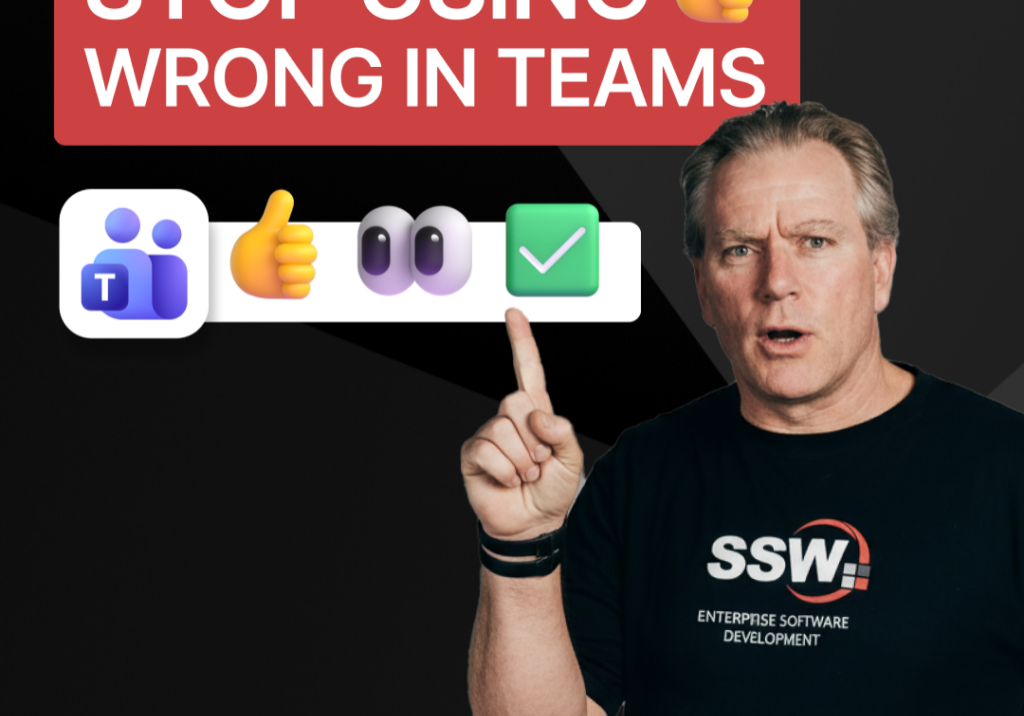
Stop Using 👍 Wrong in Teams | Adam Cogan

A quick communication tip from Adam Cogan: don’t use 👍 as a catch-all response when someone assigns you a task in Teams, Slack, or Google Chat. In the example Adam gives, if a task will take about five minutes, a thumbs up is too ambiguous because it does not clearly say whether you’ve read it, agree with it, are doing it now, or will do it later. Instead, use 👍 for agreement, 👀 to show you’ve seen the task and are actively working on it, and then replace 👀 with ✅ once the task is done. It is a small change, but it removes ambiguity and cuts down unnecessary follow-up messages.

How to record a done video in SSW | Sylvia Huang | SSW Rules

Sylvia Huang from SSW shares her SSW Cultural Exchange experience from Hangzhou, China to Australia

4 Essential Sales Tips for Engineers | Adam Cogan

Not a salesman? No problem. Adam Cogan shares 4 practical tips to help engineers navigate sales meetings with confidence. Learn how to stop “selling” and start solving, how to talk numbers without the awkwardness, and why being transparent about your process wins more clients.

Do you explain why you’ve deleted or updated an appointment? | Adam Cogan | SSW Rules

Ever wonder why a meeting was moved or cancelled? Adam Cogan explains the “Secret Ingredient” to professional scheduling: always include a version history and reason for change at the top of your appointments. Improve clarity, keep a record of changes, and hold participants accountable with this simple SSW Rule.

Chat first before changing others’ code | Adam Cogan

Changing someone else’s code? Don’t just dive in! Adam explains why it’s important to check the source history and talk to the original developer before making changes. A quick chat can save headaches and keep everyone on the same page. Perfect advice for devs working in teams!

SSW TimePro – Create a new tenant | Jeoffrey Fischer

Learn how to provision a new tenant in TimePro and sync it with an external Dynamics 365 CRM system.

How to Report Bugs in Seconds | Brady Stroud

Tired of tedious bug reporting? Watch how Brady uses YakShaver.ai to turn a quick screen recording into a professional PBI instantly.

White space – Tips for recording demo | Adam Cogan

Awkward pauses can ruin an otherwise good presentation. In this video, Adam shares a simple tip to handle white space during demos and recordings. By telling your audience what’s about to happen, you avoid silence, cut out useless fillers, and sound more confident. Perfect for product demos, meetings, or presentations on any stage.

Don’t throw things over the fence until you’ve done what you can | Adam Cogan

“Throwing it over the fence” means passing your work or problem to others. This short video delivers one clear message: before you hand something off, do what you can yourself. It’s a simple reminder about responsibility, effort, and ownership in work, teamwork, and daily life.

Why No One Can Agree on the “New” Button? | Adam Cogan

Struggling to juggle a hotfix while mid-feature without losing your flow?